
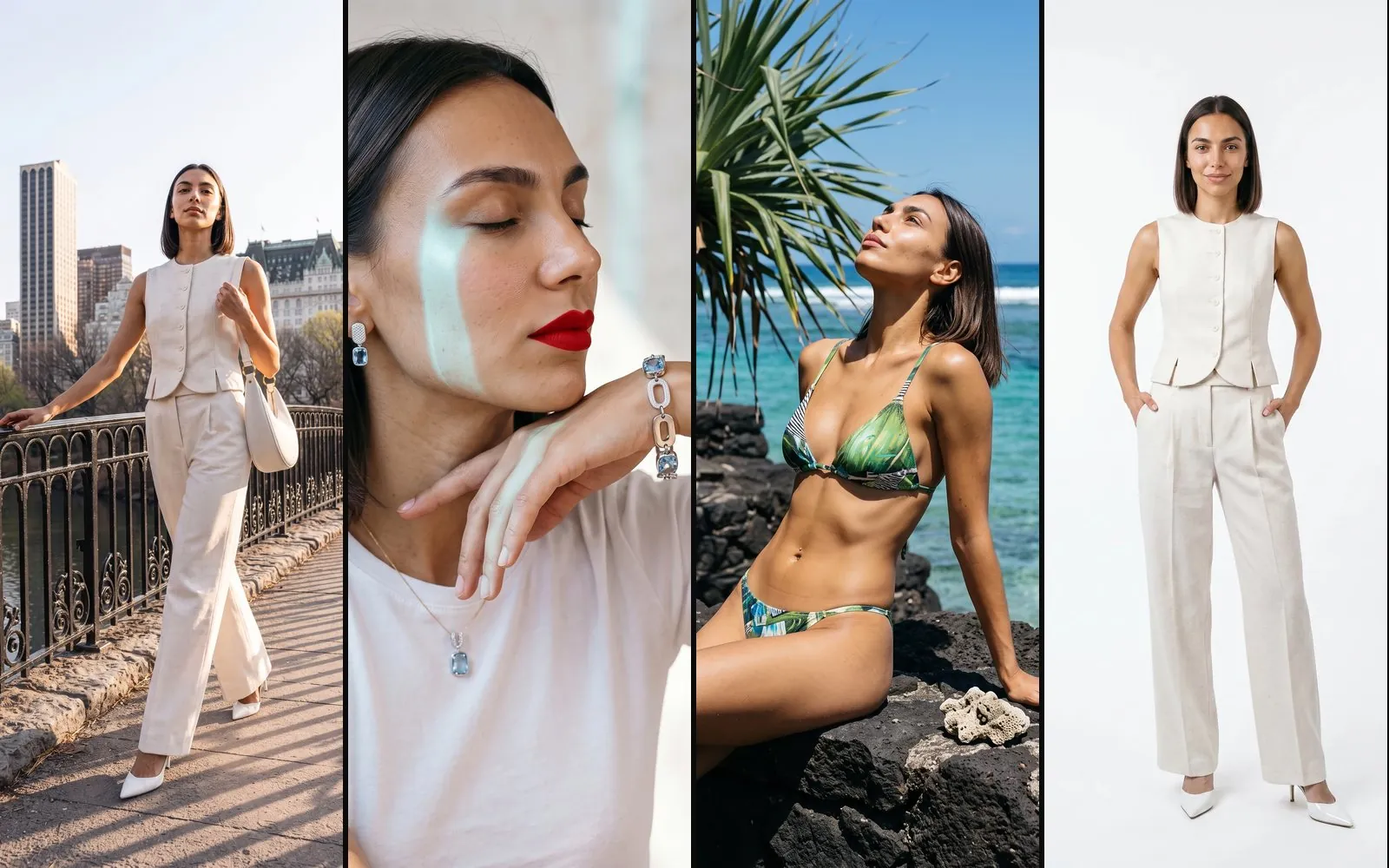
An AI model is a virtual character generated by artificial intelligence that a brand can create as the face of its campaigns and use in every photograph and video that follows. What sets it apart from generating a single image with a chatbot is that the character's face, build and look stay the same in every shot.
What an AI model is, and how it differs from a generated image
When you ask an image generator, or one of the many fashion AI tools, to produce a photograph of a person, the result is a new face every time, because the tool keeps no memory of what it generated before. For private use that is not a problem. For a brand it is, because a catalog, a collection or a social campaign is made of dozens of images in which the same person has to appear, exactly as would happen with a model hired for a season.
Seedboard's AI models exist to answer that need. Their identity is set once, when they are created. From then on, every image the model appears in is generated from that identity.
The character is saved in the brand's own account and can be used whenever a new campaign starts, whether it is fashion photography, a campaign with a product or a video.
How to create an AI model on Seedboard
Seedboard is a creative studio that generates professional photography for brands. You can pick a model from the dozens already on the platform or build a custom one. Neither route asks you to know photography or to have used an AI tool before.
A new model can be created in two ways.
- From scratch. You set the features that define the character: gender, age, origins, skin tone, eyes, hair, build and height. From those, Seedboard generates the main portrait.
- From a photograph. You upload one to three photographs of a real face and Seedboard takes their features to build a character that looks similar. The real person is never copied, and the result is a new, distinct character; for the same reason, photographs of minors and of recognizable public figures are refused.
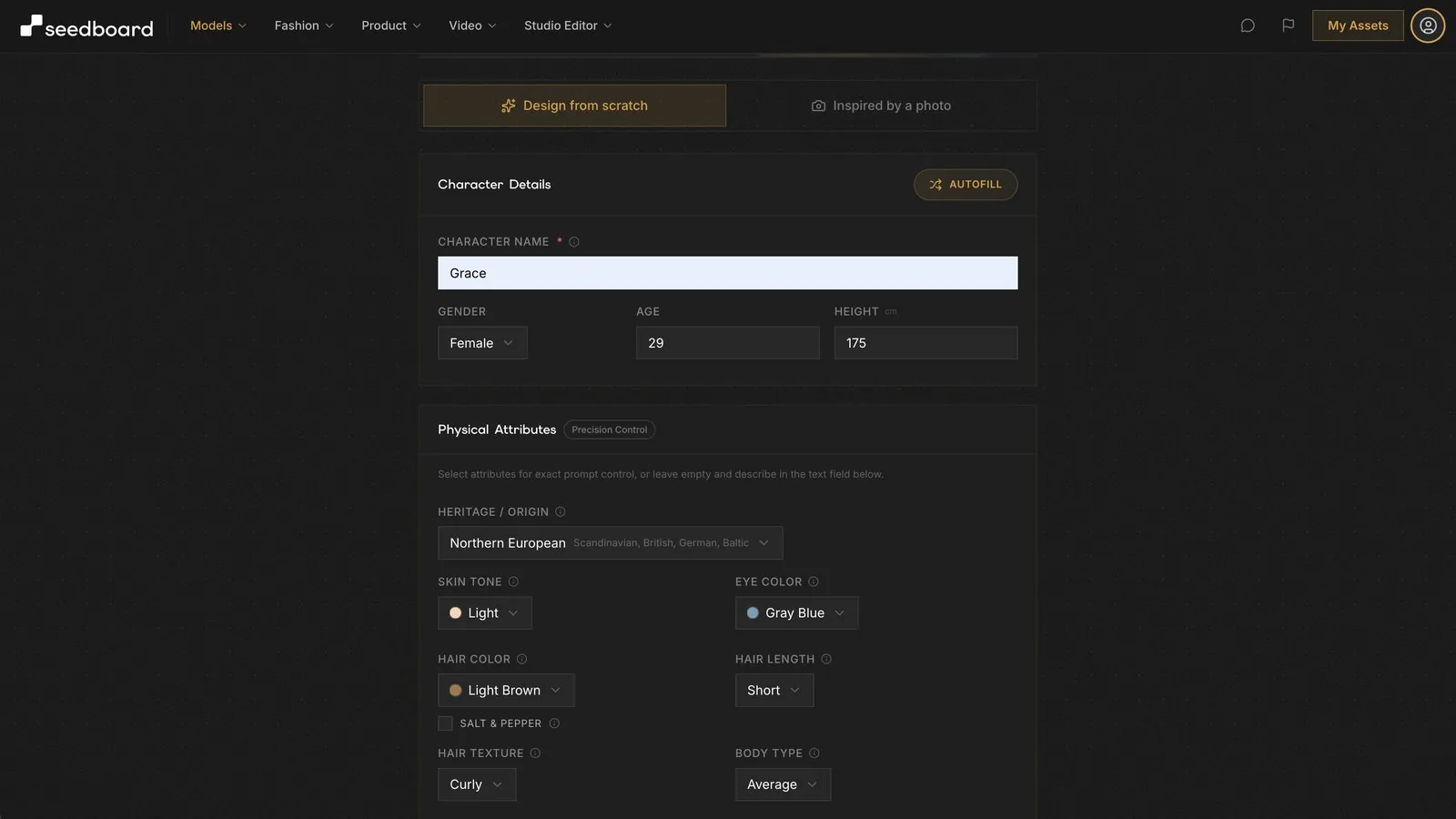
Neither route involves writing a prompt. Every choice is a visual one; Seedboard writes the technical instructions the generation needs.
The main portrait that fixes the identity
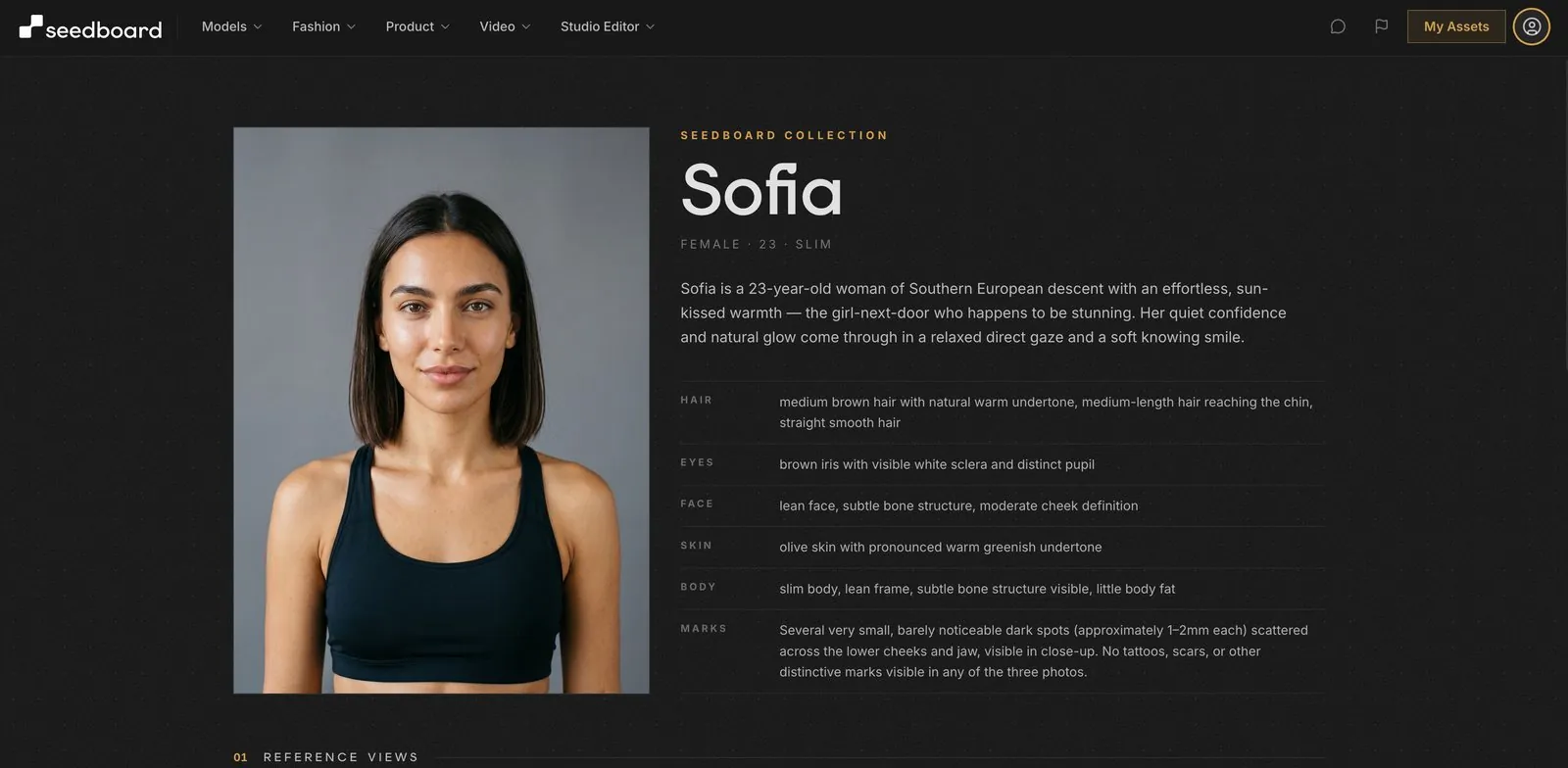
The decisive moment is approving the main portrait. From the approved portrait, Seedboard builds a set of face and body views that are consistent with each other. That is why the model keeps the same appearance in every campaign that follows, and why a campaign of dozens of images looks as if it came out of a single photo shoot.
How to use an AI model in campaigns
Once the main portrait is approved, the model can be used in every type of campaign Seedboard offers.
- Fashion campaign. If the product is a garment, the fashion shoot dresses the model in it and photographs them in editorial shots.
- Campaign with a product. If the product is an accessory or a cosmetic, the Model + Product feature photographs the product worn by the model, with categories for jewelry, eyewear, bags and clutches, footwear, makeup and skincare and lifestyle products; all you do is upload the product and choose the category.
- Photos for the online store. Editorial shots are for the website, social media and campaigns, but the page where the customer sees the price and adds the product to the cart needs a clean image, with the product worn by the model on a white background. For that image Seedboard has a dedicated ecommerce mode, so you get both the photos that communicate and the one that sells from the same model.
- Video. Social media and product pages ask for video more and more often, and shooting one means organizing a second set on top of the photographic one. On Seedboard the photographs of a campaign are animated into short video clips, to which a matching music track and sound effects can be added, so you get the video from the same images you have already approved.
Not every product needs to be worn. For items photographed on their own, a perfume, an accessory or a design object, Seedboard has a set of tools for product photography that work on the same principle as the main portrait.
- Product photos. You upload the images of the product and show the style you want, either by attaching a reference image or by describing the mood, the light and the setting you have in mind. Seedboard generates a first photo and, once it is approved, the other angles and views are generated from it. You approve one photo and get the full set, without going back on set for every angle.
- Catalogs. Products shot in bulk under a single light and framing, so a batch photographed in March and one photographed in October sit together without a seam.
- Collections. Everything in one setting, chosen once from a reference photo of yours: a seaside table for summer, a Christmas scene for December, a Halloween set for a late-October promotion.
- Color Variants. One product, every color, with pose and lighting unchanged. It solves the print-on-demand problem, where nothing is printed until it is ordered and there is nothing to photograph. The product itself is left alone, folds and shadows included; only the color is replaced.
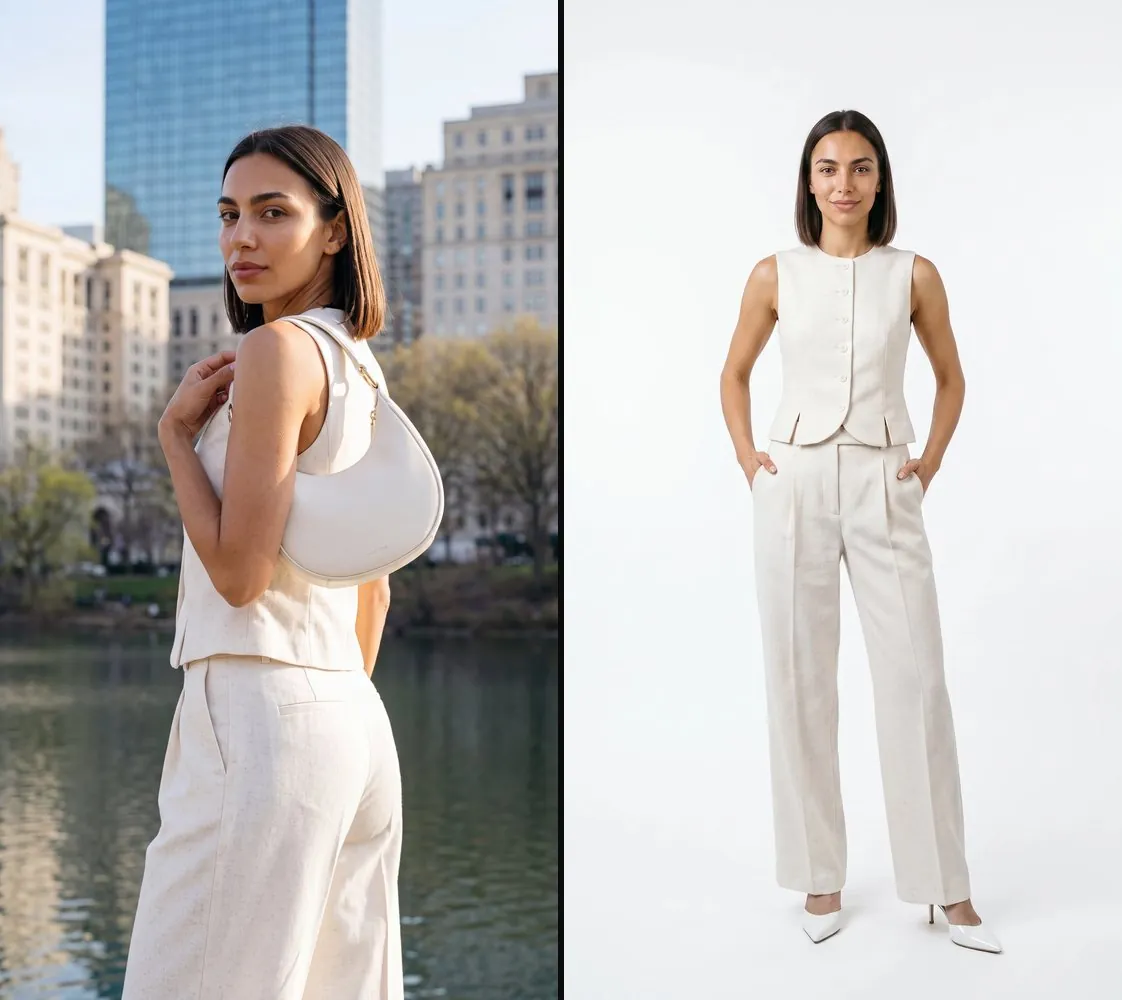
The advantage of working with Seedboard's models shows above all across a whole set of images. Getting one good image is possible with many tools; keeping the same face, the same light and, above all, the same quality in every shot, so that a catalog or a collection looks like a single photo shoot, is the hard part of the job, and it is what Seedboard was built for.
Seedboard was built by photographers and filmmakers who have spent years on set, so it is designed around how brands actually work. The full path, from the first shot to the finished campaign, is described on the how Seedboard works page.
How realistic AI models look
A common flaw in images generated by artificial intelligence is the plastic, rubbery look of faces. Skin is where it shows first: pores, stray hairs and the way light falls on a face are what separate a model that reads as a person from one that reads as a render.
Costs and free trial
Every new account gets 1,000 free credits, which can be used without entering a credit card and with no time limit. They let you try the service and judge the quality of the results before spending anything.
Paid plans start at €17 a month, VAT excluded. They include the commercial license. The detail of each plan is published on the pricing page.
What to know before publishing the images
Before using the images it is worth knowing three conditions, also set out in the frequently asked questions.
- Content generated with the free trial is for personal evaluation. Commercial use requires a paid plan or a credit pack, which grant a perpetual, worldwide license to everything that is generated.
- Images generated by artificial intelligence are not covered by exclusive copyright, and similar results could be produced for other users.
- Uploaded photographs are not used to train artificial intelligence models, and are passed to providers only to carry out the generation request.
This describes the service and is not legal advice on the use of images in a specific case. There is more detail in the article on AI-generated images and commercial use.
Frequently asked questions
Can an AI model be created for free?
Yes. Every new account gets 1,000 free credits, with no credit card and no time limit, which let you try the service before spending anything. Content generated with the trial is for personal evaluation, while commercial use requires a paid plan or a credit pack.
Does the AI model keep the same face across every photograph?
Yes. The main portrait is approved once, and from that portrait Seedboard builds the face and body views. From then on every new image, whether it is a fashion campaign, a campaign with a product or a video, is generated from those views, and the face and the look of the model stay the same. We have worked hard to keep errors rare, but AI models are not deterministic, so now and then a detail may drift. When it does, regenerating the image or sending it for review usually fixes it.
Can a model be created with artificial intelligence starting from a real photograph?
Yes. By uploading one to three photographs of a face, Seedboard takes its features to build a character that looks similar, without ever copying the real person. Photographs of minors and of recognizable public figures are refused.
Can the character wear the brand's products?
Yes. If the product is a garment, the fashion shoot dresses the model in it. If it is an accessory or a cosmetic, the Model + Product feature photographs it worn by the model, with categories for jewelry, eyewear, bags and clutches, footwear, makeup and skincare and lifestyle products. For the page where the customer buys there is also an ecommerce mode with the white-background shot.
Do the generated images belong to the brand, and can they be published?
A paid plan or a credit pack grants a perpetual, worldwide license to use everything that is generated, including commercially. Images generated by artificial intelligence are not covered by exclusive copyright, though, and similar results could be produced for other users.