
Anyone running a restaurant, a pizzeria, a bar or a food business needs photos of their dishes in a lot of different places: on delivery apps, in the menu, on the website and on social media. On delivery apps in particular, the customer chooses the dish by looking at the photograph, and a dish with no photo, or a rushed one shot in the kitchen, is less likely to be picked. This article covers how to photograph food so the dishes look appetizing, what hiring a food photographer involves and how to produce the dish photos on Seedboard instead, with artificial intelligence, starting from photographs of the dish.
What a good food photograph needs
A photograph of a dish has to show, first of all, the dish the customer will actually receive, with the same ingredients and the same presentation, or the disappointment on delivery turns into a bad review. It then has to be lit so the food looks appetizing, and it has to be framed for the place where it will be published: delivery apps want the whole dish, seen from above or at three-quarters, on a clean surface; social media wants food photos that tell a story, the first cut, the hands finishing the plate, a laid table.
When there are many dishes, as in the catalog of a delivery app, the photographs also have to match each other, with the same surface, the same light and the same framing, so that the menu looks like one ordered whole rather than a pile of photographs taken on different days by different people.
What hiring a food photographer involves
Making these photographs the traditional way means organizing a shoot in the venue. The restaurant has to find a food photographer, often alongside a food stylist who prepares and arranges the dishes in front of the lens, and has to cook every dish it wants photographed on the day of the shoot, knowing that a hot dish is ruined within minutes and has to be made again if the shot does not work.
The shoot also has to be repeated every time the menu changes, a new dish arrives or the season turns, and each repeat rarely returns the same light and framing as the time before, so the catalog loses its consistency.
How dishes are photographed on Seedboard
Seedboard generates professional photography for brands, and for food it has three features, chosen according to what you need.
- The dish alone. The dish is photographed on its own, as the subject, on a carefully built set, in your venue or in a place you choose.
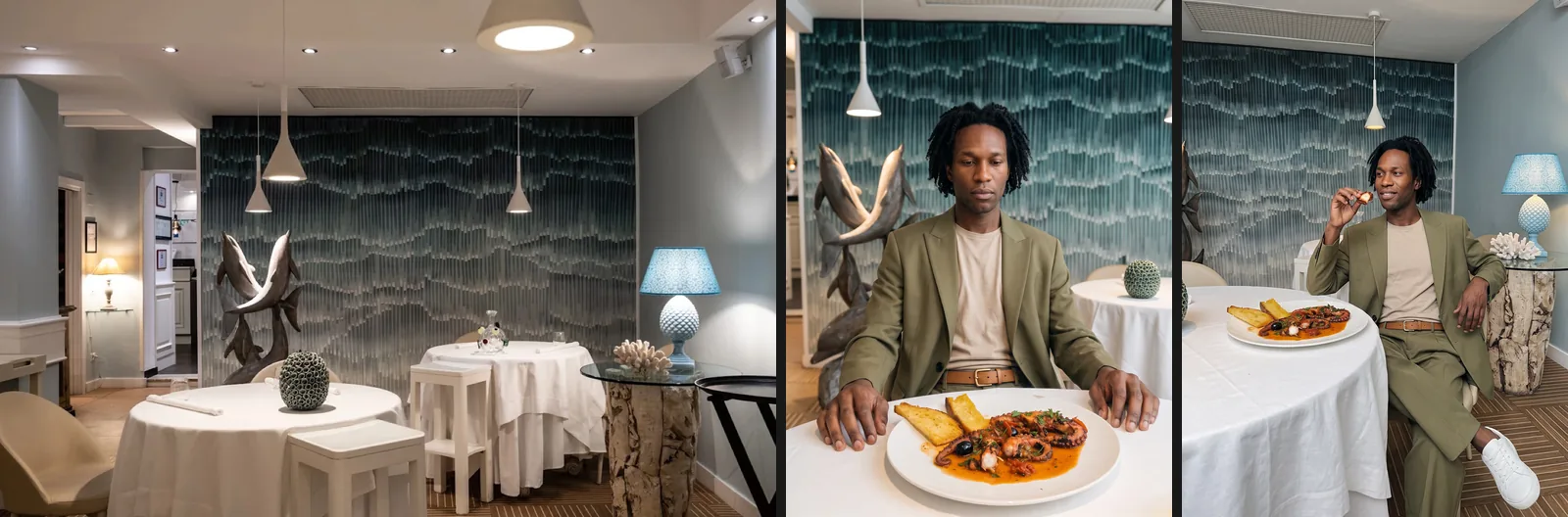
- With a model. An AI model eats, serves or presents the dish, in your venue or somewhere else.
- Dish catalog. Every dish on the menu is photographed with the same look, for the venue's online store and for delivery apps.
None of the three asks you to know photography, to have used an AI tool before or to write a prompt: you choose by eye, and Seedboard assembles the technical instructions underneath. The three features are for dishes and drinks; for a packaged product, a bottle or a jar, Seedboard points you to product photography.
The dish is read from the photographs
The starting point is always the same: you upload photographs of the dish, as long as at least one shows the whole dish. Seedboard reads the photographs and recognizes the dish, writes its name and description, lists the ingredients it recognizes and works out how it is eaten, with a fork, a spoon, by hand or with chopsticks. You check that reading and correct it where needed, adding or removing ingredients: in the generated photographs, only the confirmed ingredients appear around the dish.
If the photographs do not show what the dish looks like inside, Seedboard says so, because otherwise the dish would stay whole in every shot. In that case you describe it in words or upload a photograph of a cut slice.
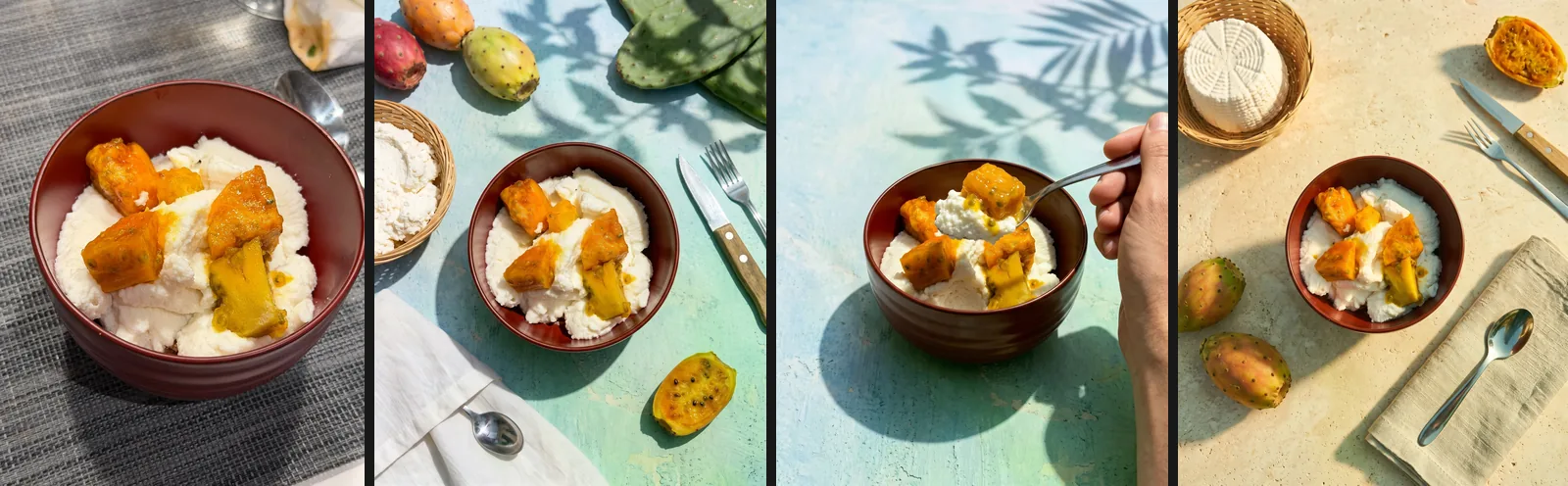
You then decide what the dish is served on. You can keep the plate from your own photograph, pick one of those Seedboard suggests, such as white porcelain, matte black stoneware, a slate board, handmade ceramic, an oak board or a cast iron pan, or describe it in words. The food stays exactly the same; only the plate it is served on changes.
Where the dish is photographed
After the plate comes the place. Seedboard can build a still life set, as in a photo studio, with a surface, a backdrop and a few props; it can set the shot in a real place, a restaurant, a kitchen, a table at home or an outdoor space; or it can set it in your own venue. In that last case you upload a few photographs of your dining room, taken from different angles, Seedboard recognizes the space and the shots are taken among your tables.
Before generating, you choose the format of the images and the light, such as side window light, a dark and atmospheric light, a bright and airy light or an editorial flash, or you let Seedboard decide.
The master shot and the other framings
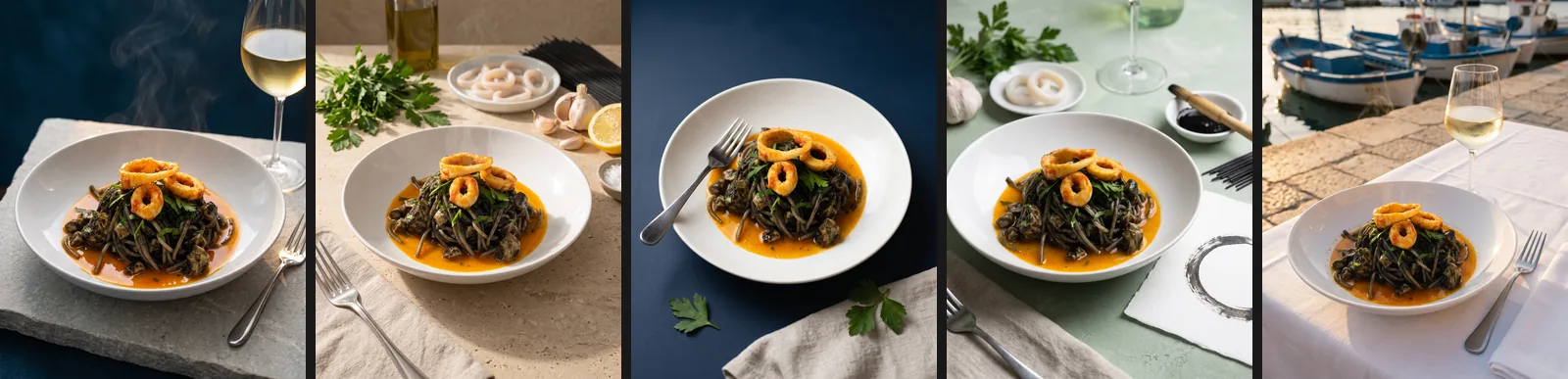
As in every Seedboard feature, generation begins with a first photograph, the master shot, which shows the dish at three-quarters. You look at it and approve it, and only then does Seedboard produce, on the same set, the other framings you have chosen.
- the overhead view, with the surface and the objects around the dish;
- the side view, at table height, showing the layers and the height of the dish;
- the macro on the texture of the food;
- the table scene, with a laid table around the dish;
- the first cut, with a fork opening the dish and showing the inside;
- the raw ingredients arranged around the dish;
- hands at work, finishing the dish with oil, a grater or a dusting of spices.
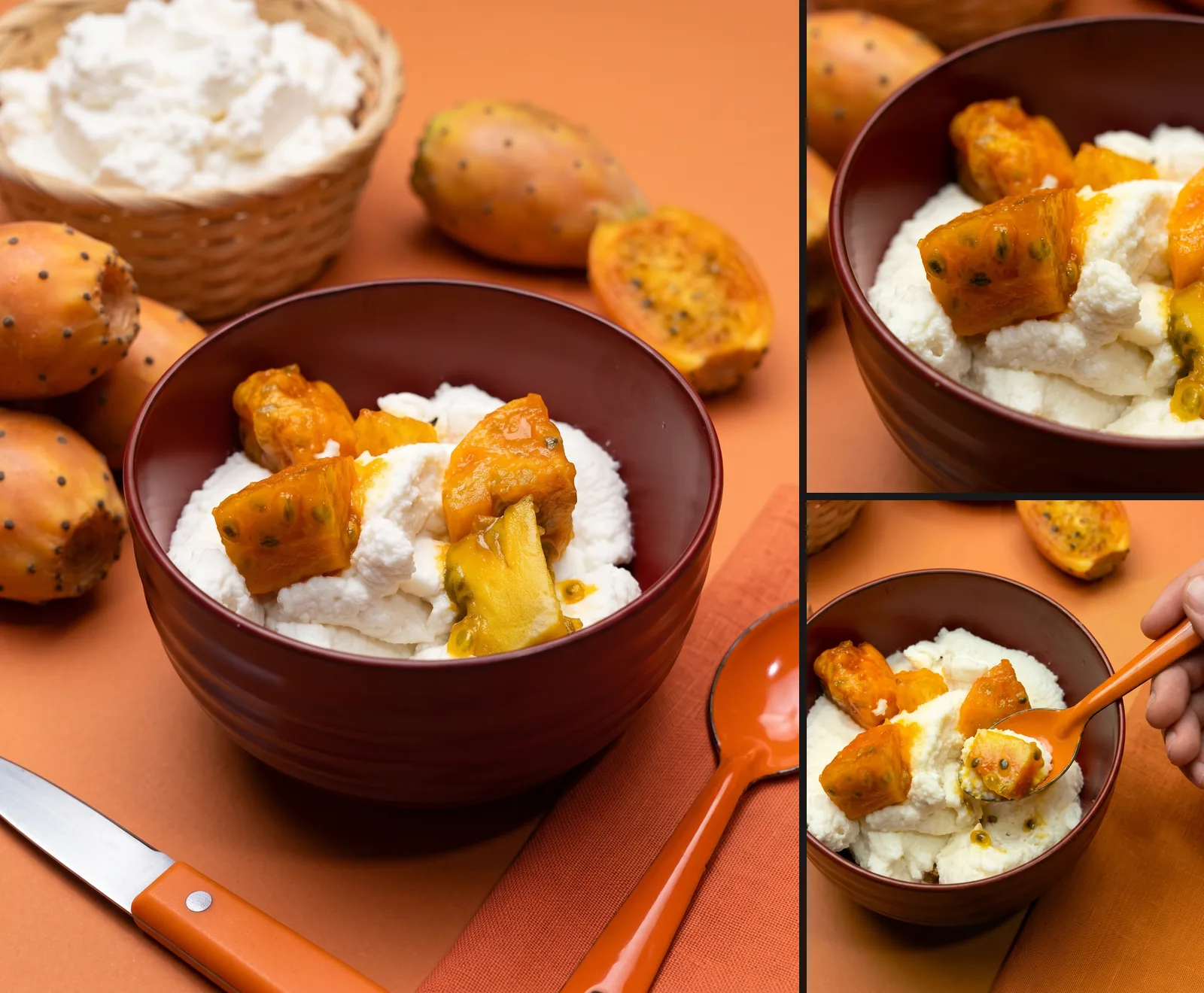
You approve one photograph and get the full set, all on the same set and with the same light, without cooking the dish again for every framing.
Photographs with a model
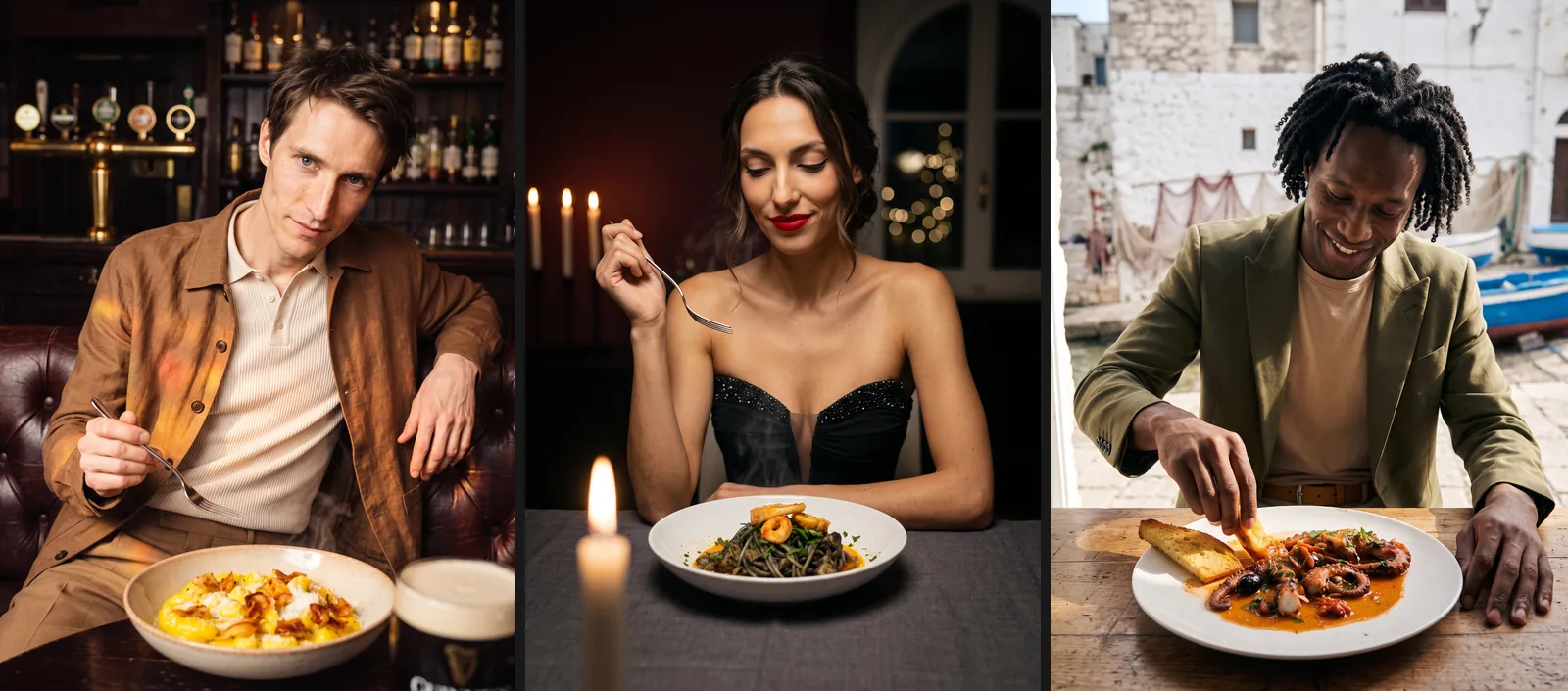
For social media and the website, where the dish has to be shown while it is being eaten or served, Seedboard photographs the dish together with an AI model. You dress the model by choosing a look, or reuse one you have already prepared, and then add the photographs of the dish, which Seedboard reads as described above. The model can play the customer at the table, the chef, the waiter, a guest raising a toast or a content creator, and the scene can take place in your venue, rebuilt from the photographs of the room, or in a place suggested by Seedboard or described by you. Seedboard also proposes three creative concepts based on the dish, the model's look and the place, from which you choose or write a direction of your own.
Here too the first photograph is always the untouched dish on the table, to be approved; the ones that follow are taken at the table, close up or macro on the dish. Seedboard's AI models keep the same face across every photograph, and how they are created is described in the article on creating an AI model for your brand.
The dish catalog for delivery apps
When you need photos of the full menu, with every dish, you use the Dish catalog feature. You add the dishes to the catalog with their photographs, and Seedboard reads them one by one. You then choose a single look for the whole catalog, between a light and clean surface, your brand color, a dark and elegant surface or a natural table in pale wood or stone, or you describe it in words, and you choose the framings to produce for every dish, between the three-quarter view, the overhead view, the side view and the detail.
Seedboard produces the photograph of the cover dish first and waits for your approval; from then on the rest of the catalog follows the same look, with the same surface, the same light and the same framings for every dish. The finished catalog downloads in one package, at full resolution or as JPEGs in the format delivery apps need.
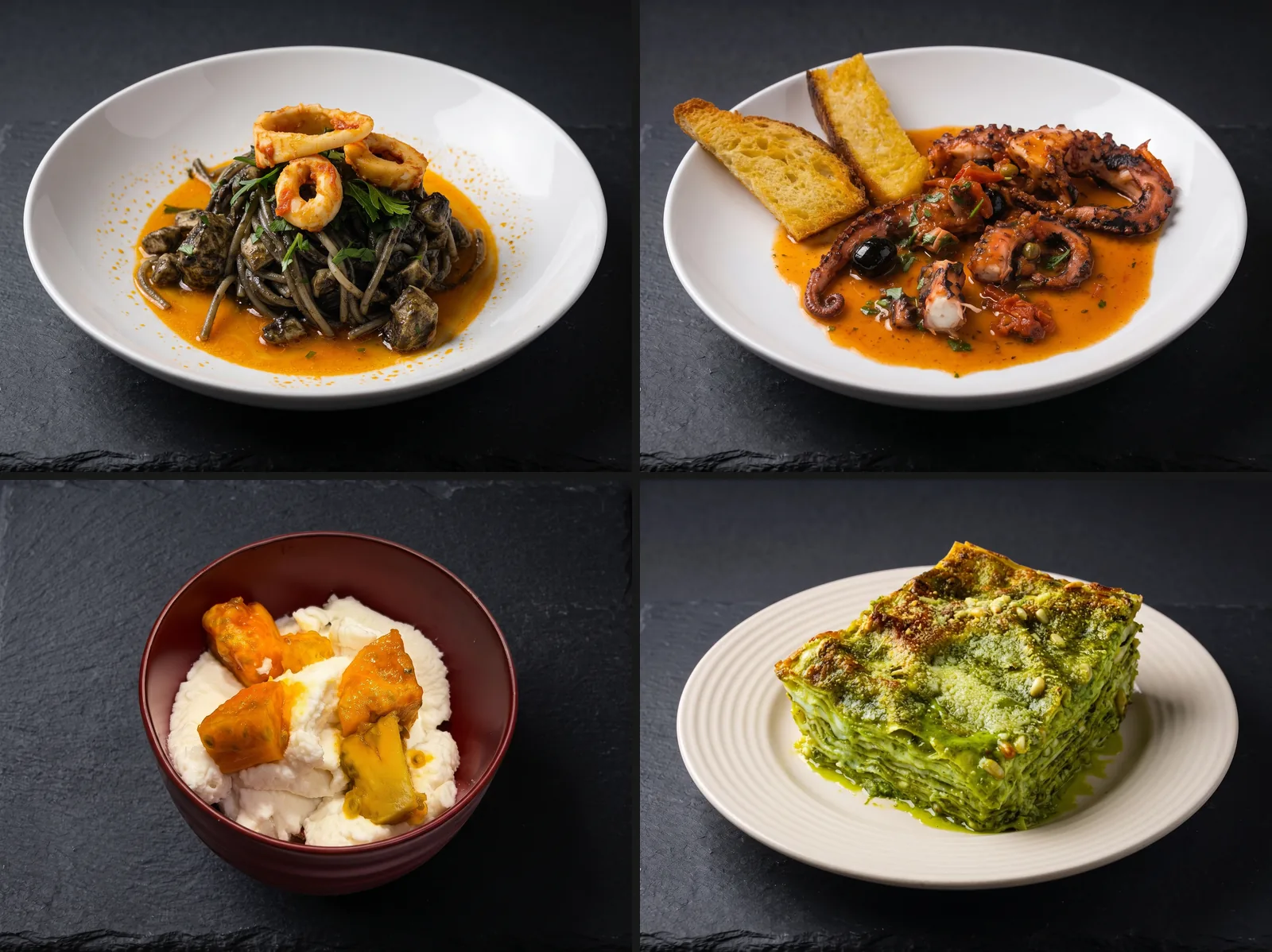
When the menu changes, you add the new dish to the existing catalog, and its photograph is produced with the look already approved, so the catalog stays consistent even after months of additions.
Seedboard was built by photographers and filmmakers who have spent years on set, so it is designed around how brands actually work. The full path, from the first shot to the finished campaign, is described on the how Seedboard works page.
Costs and free trial
Every new account gets 1,000 free credits, which can be used without entering a credit card and with no time limit. They let you try the service with your own dishes and judge the quality of the results before spending anything.
Paid plans start at €17 a month, VAT excluded, and include the commercial license. The detail of each plan is published on the pricing page.
What to know before publishing the photographs
Before publishing the photographs on delivery apps, in the menu or on social media it is worth knowing three conditions, also set out in the frequently asked questions.
- Content generated with the free trial is for personal evaluation. Commercial use requires a paid plan or a credit pack, which grant a perpetual, worldwide license to everything that is generated.
- Images generated by artificial intelligence are not covered by exclusive copyright, and similar results could be produced for other users.
- Uploaded photographs are not used to train artificial intelligence models, and are passed to providers only to carry out the generation request.
This describes the service and is not legal advice on the use of images in a specific case. There is more detail in the article on AI-generated images and commercial use.
Frequently asked questions
Is the dish in the generated photographs the one the restaurant actually serves?
Yes. Seedboard starts from the photographs of the dish uploaded by the user, recognizes it and lists its ingredients, which the user can check and correct before generating. The photographs are built from that dish, and only the confirmed ingredients appear around it.
Can the photographs be set in my own restaurant?
Yes. By uploading a few photographs of the dining room, taken from different angles, Seedboard sets the shots in the venue. The shot can also be taken in a photo studio, with a surface and a backdrop, or in a place suggested by Seedboard or described by the user.
Can every dish on the menu be photographed with the same look?
Yes. The Dish catalog feature photographs every dish with a single look, chosen once for the whole catalog, and with the same framings for each dish. The first photograph, the cover dish, is approved by the user, and all the others follow the same look. The catalog downloads at full resolution or as JPEGs for delivery apps.
Can food photography with AI be tried for free?
Yes. Every new account gets 1,000 free credits, with no credit card and no time limit, which let you try the service before spending anything. Content generated with the trial is for personal evaluation, while commercial use requires a paid plan or a credit pack.
Can the dish photographs be published on delivery apps and social media?
A paid plan or a credit pack grants a perpetual, worldwide license to use everything that is generated, including commercially. Images generated by artificial intelligence are not covered by exclusive copyright, though, and similar results could be produced for other users.